
Adding Annotations to Tags
Learn how to quickly create and link annotations to Tags and Tasks.

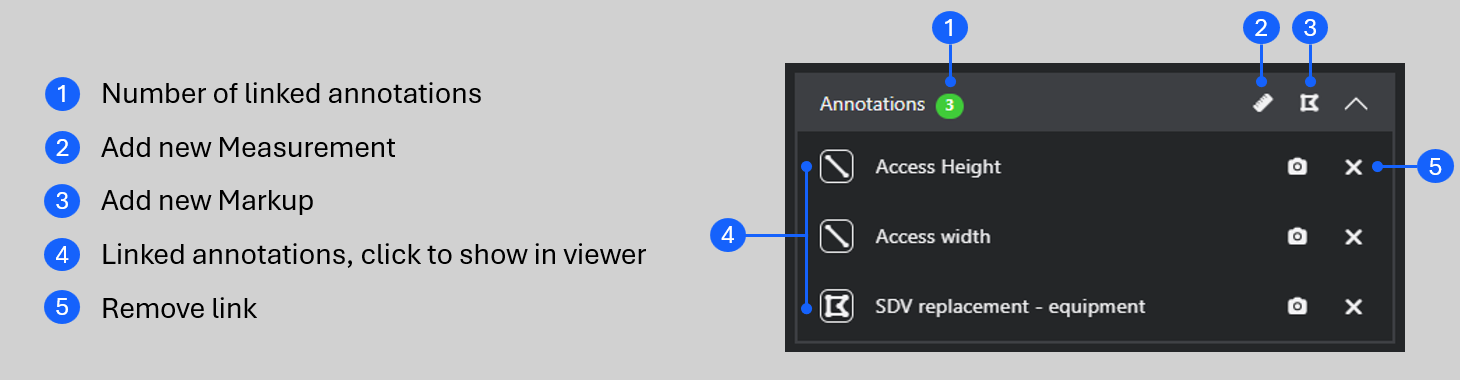
Use the Tag Panel to create annotations and link them to tags in a single step, saving you the effort of linking them manually.
Here's how.
- Click on the tag to open the Tag Panel.
- In the Annotations section of the Details tab, choose Measurement or Markup.
- Create the Annotation and click Save.
Now, the annotation is linked directly to the tag and can be accessed via the Tag Panel. Simply click on the chevron to see all the linked annotations.
Please note: currently, only the 2D Polygon markup type can be linked to a tag using this method. To link Notes and 3D markups to a tag, see Linking Annotations to Tags and URLs.
Please take some time to step through this interactive guide demonstrating how to link a markup to a tag.
Now you know how to add annotations to tags, have a look at Tag Panel - Links Tab to learn how to connect Tags and Tasks together.
Note: If you are having trouble using any tool or feature in R2S please contact our support team here.