
3D Model Viewer (Beta) - UPDATE
Learn about new features in the 3D model viewer.

The 3D Model Viewer lets you switch between the 360° reality data and the 3D model, giving you alternative perspectives of the facility and improving overall navigation.
With this update, all the intelligence built into the 3D model is now fully accessible in R2S. You can select components, view their tag references, and understand their position within the overall model hierarchy.
You can also explore relationships between components and choose to isolate or ghost them directly in the viewer for clearer visualisation—making it easier to grasp asset context and structure.
Here's how...
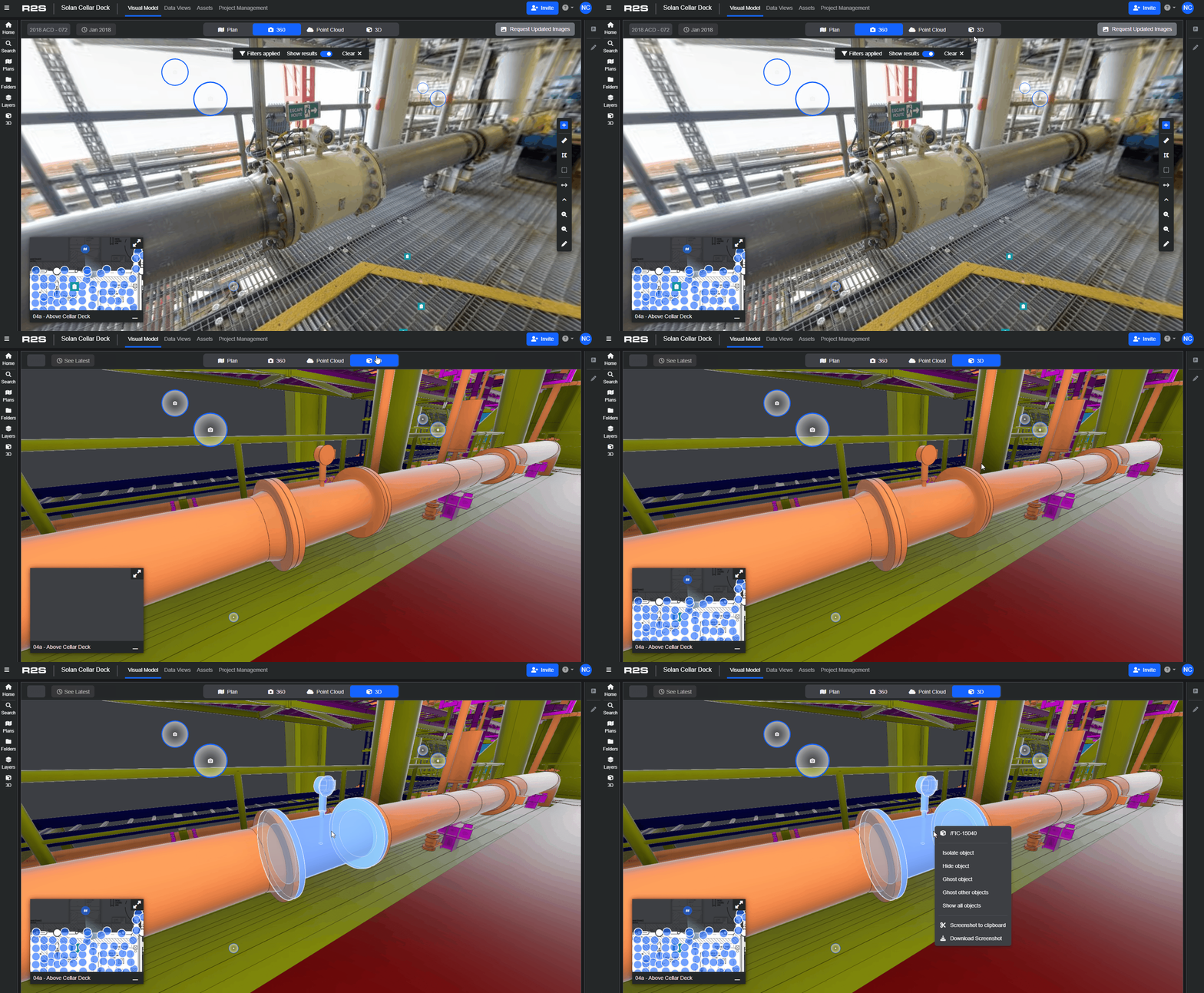
- Open the 3D model viewer.
- Left click to select a part of the model, to make multiple selections hold down the Shift or CTRL key.
- Once highlighted, right click to access the available options
3D Model context menu
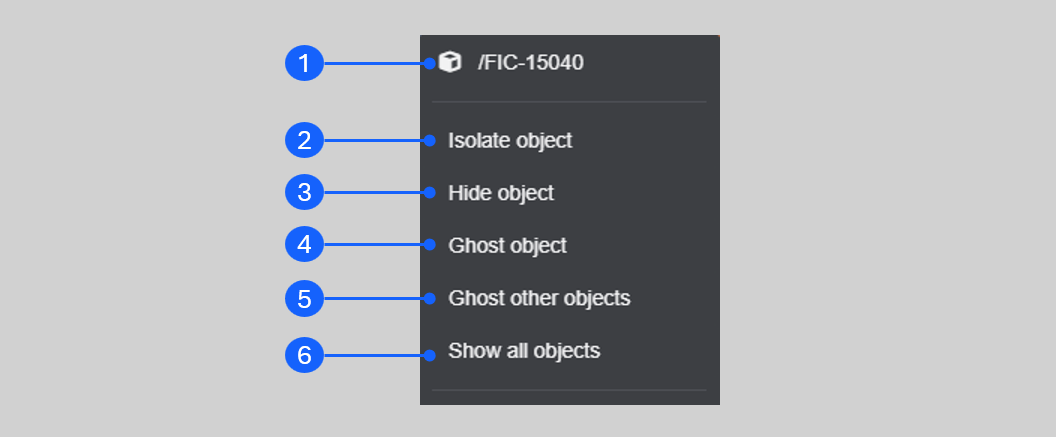
- Name of the object in the model. If multiple items are selected the number of items is displayed. Clicking here opens the 3D model panel and highlights the object(s) in the hierarchy.
- Hides everything in the model except the selected object(s). Clicking here opens the 3D model panel with the object(s) highlighted in the model hierarchy.
- The selected object(s) are hidden from view.
- Turn the selected object(s) into a wireframe view.
- Isolates the object(s) and turns the rest of the model into a wireframe.
- Turns on all objects in the model, returning to the default view.
3D Model Panel
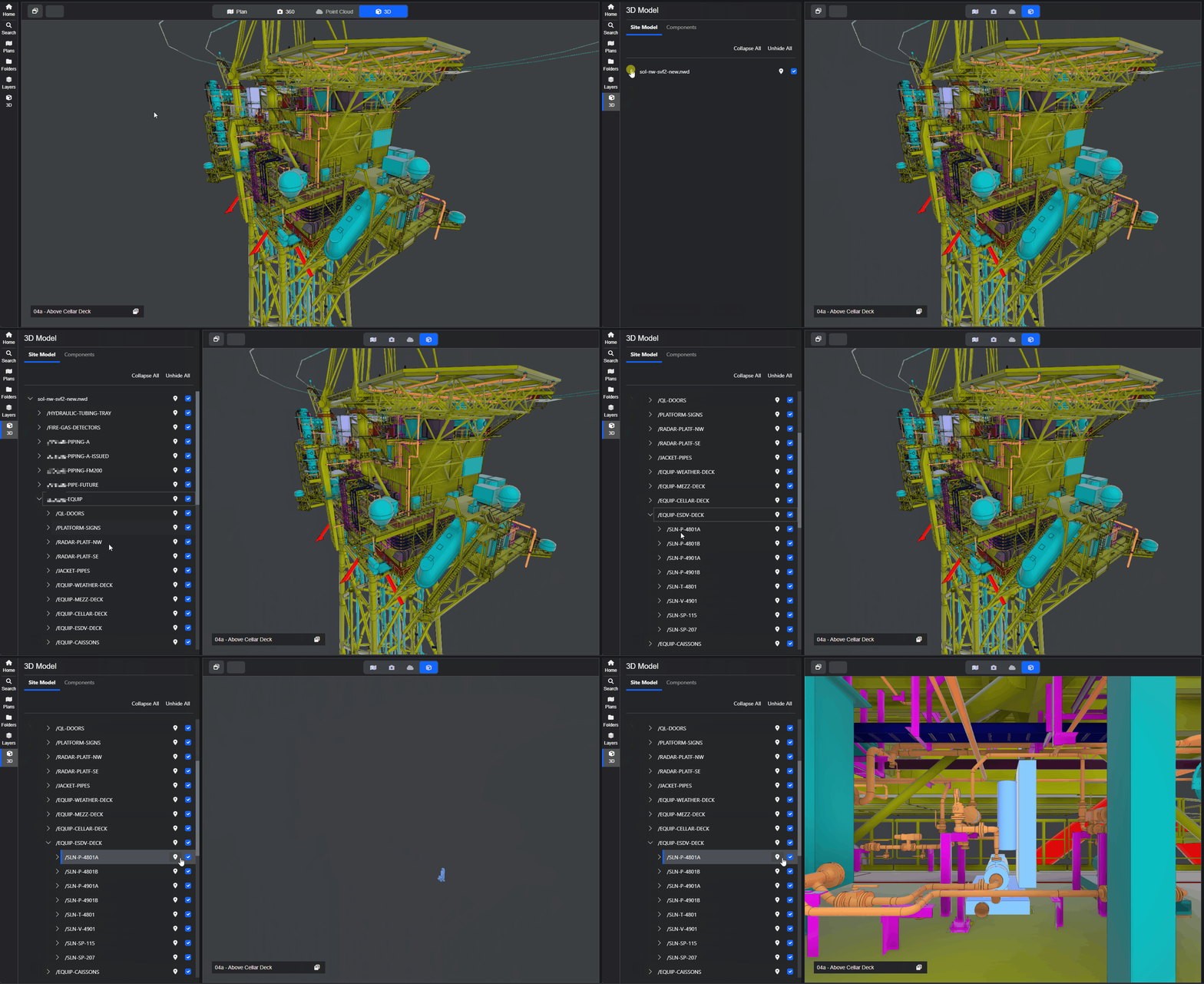
This panel lets you explore the model hierarchy, quickly navigate to specific objects, and select objects to isolate or ghost within the model.
- Access the panel from the 3D icon on the Side Panel menu.
- Expand the model hierarchy by clicking on the chevrons.
- Fly directly to objects by clicking the location marker.
Context Menu in 3D Panel
Open this menu by right clicking on an object(s) in the hierarchy.
- Isolate Object hides everything in the model apart from the selected item.
- Ghost Object turn the selected item into a wireframe, hiding it from view.
- Ghost Other Objects changes everything apart from the selected item into a wireframe.

Multiple Selections
You can select multiple items in the the hierarchy by using the CTRL or SHIFT keys
- Hold down the CTRL key and click on individual objects.
- Select an object, hold SHIFT, and select another. All objects in between will be highlighted.
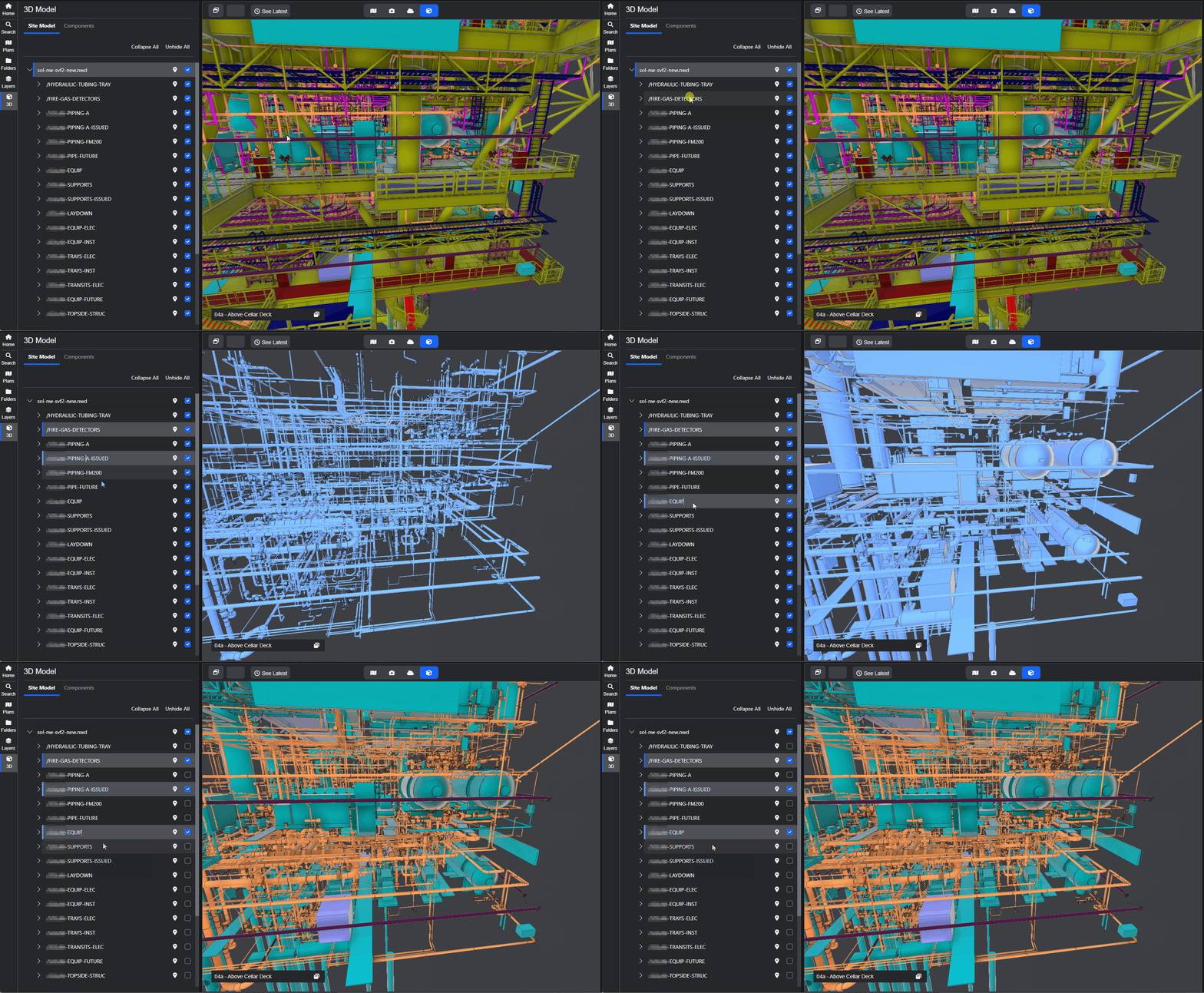
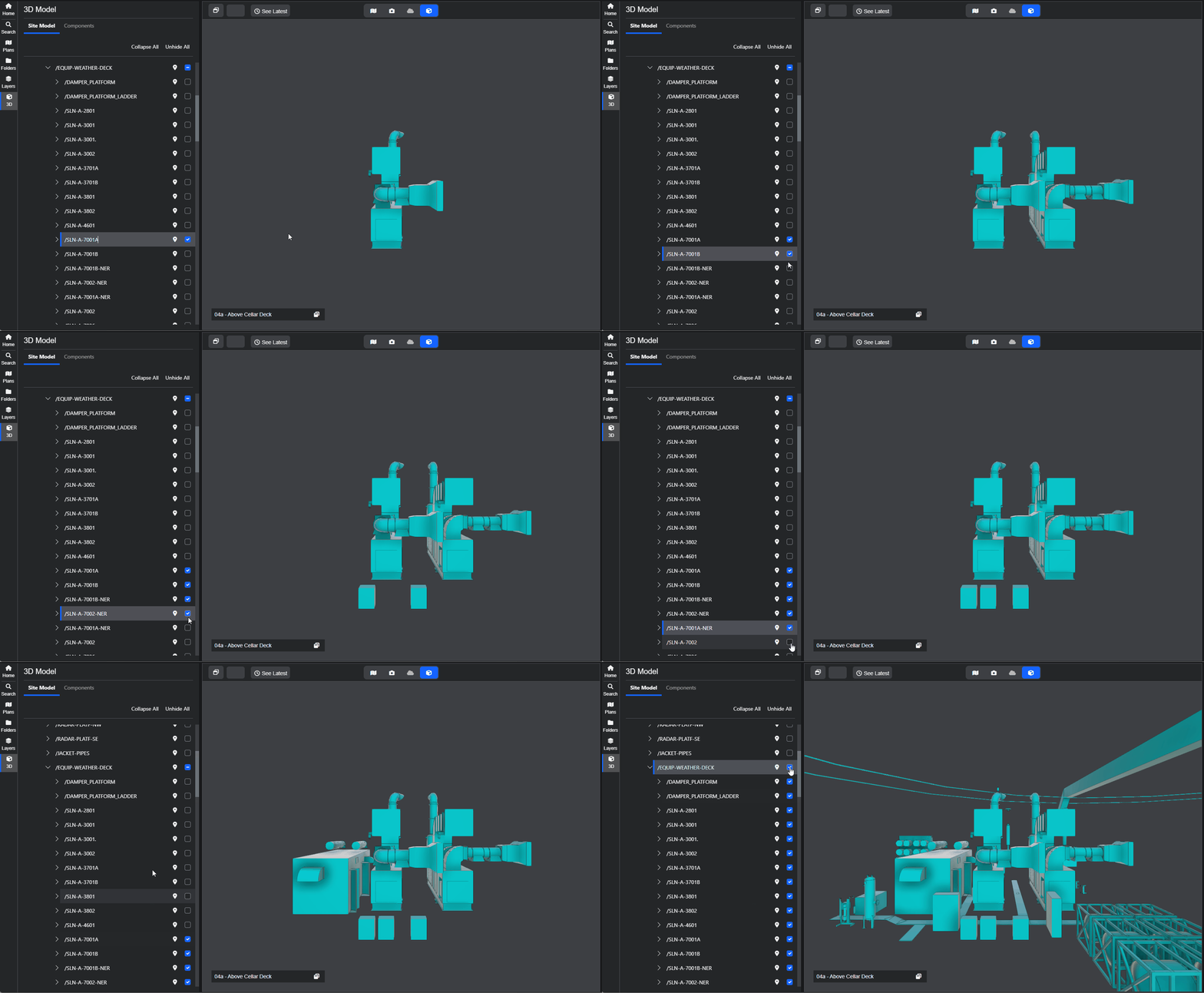
You can use the checkboxes to toggle model objects on or off within the hierarchy. When you select a parent object, all of its child objects are automatically selected. You can also select individual child objects to fine‑tune your view.
Please note: this is a beta version of the 3D model viewer and we are still working on new features. If you have any feedback we'd love to hear it. Click here to submit an idea.